Notifications
How managers communicate with teams using league notifications.
Notifications are league-wide banners that appear near the top of your league pages. They are useful for urgent or timely league information, such as weather updates, schedule reminders, venue notes, or important rule changes.
Managers can also choose to email a new notification to captains.
Creating a Notification
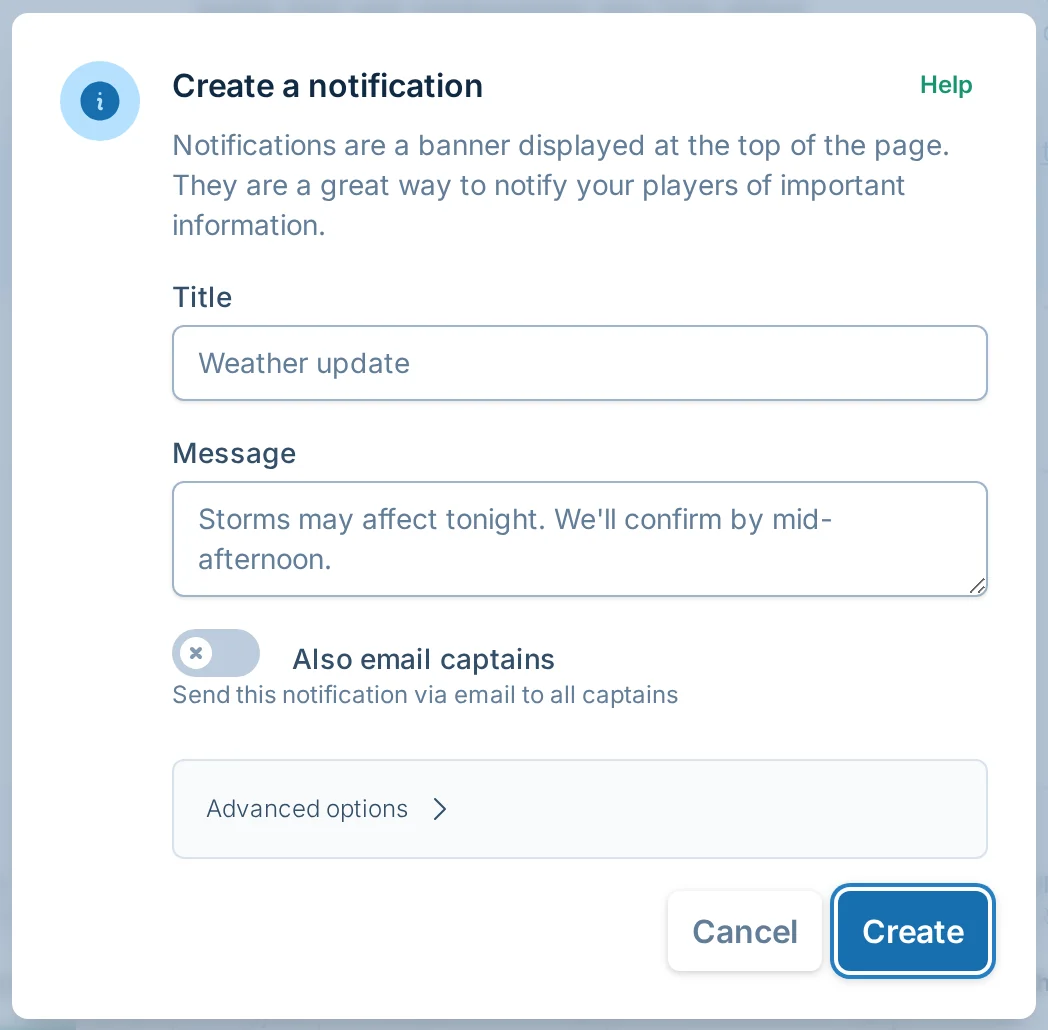
When you are logged in as a manager or staff member with notification permission, click "Create a notification" near the top of any league page.

The create notification dialog looks like this:
Manager-created notifications start right away.
Notification Fields
Title
Use a short, descriptive title. This is also used as the subject if you email captains.
The title is required and must be 100 characters or fewer.
Message
Use the message for the actual announcement. The message is required and must be 500 characters or fewer.
If you paste a web address into the message, it becomes clickable when the notification is shown.
The message box is meant for plain text announcements, so keep formatting simple.
Also Email Captains
Turn on "Also email captains" if captains should receive the notification by email immediately.
The banner still appears on the league site either way. Email is best for urgent information that captains should not miss.
This option is only shown when creating a notification. Editing an existing notification changes the banner, but it does not send another email.
Do not use captain notification emails for sales, marketing, or unrelated messages. If volley.love detects that kind of content, the captain email may not be sent.
Player Team Notifications
Team notifications are optional push notifications that players can turn on from a team dashboard. They are alerts that can pop up on a player's phone or computer, even when volley.love is not open.
Each player has to opt in from their own device. Managers cannot turn these on for players.
When a player turns them on, volley.love can notify that device about schedule updates, cancellations, forfeits, team changes, manager announcements, and score-reporting reminders for that team.
Game day reminders are separate optional alerts. Players can turn those on after they have enabled team notifications.
If a player is using an iPhone or iPad, they may need to add volley.love to their Home Screen before turning notifications on. The player Team Dashboard guide has the steps.
For important updates, keep using the normal notification banner and captain email tools.
Advanced Options
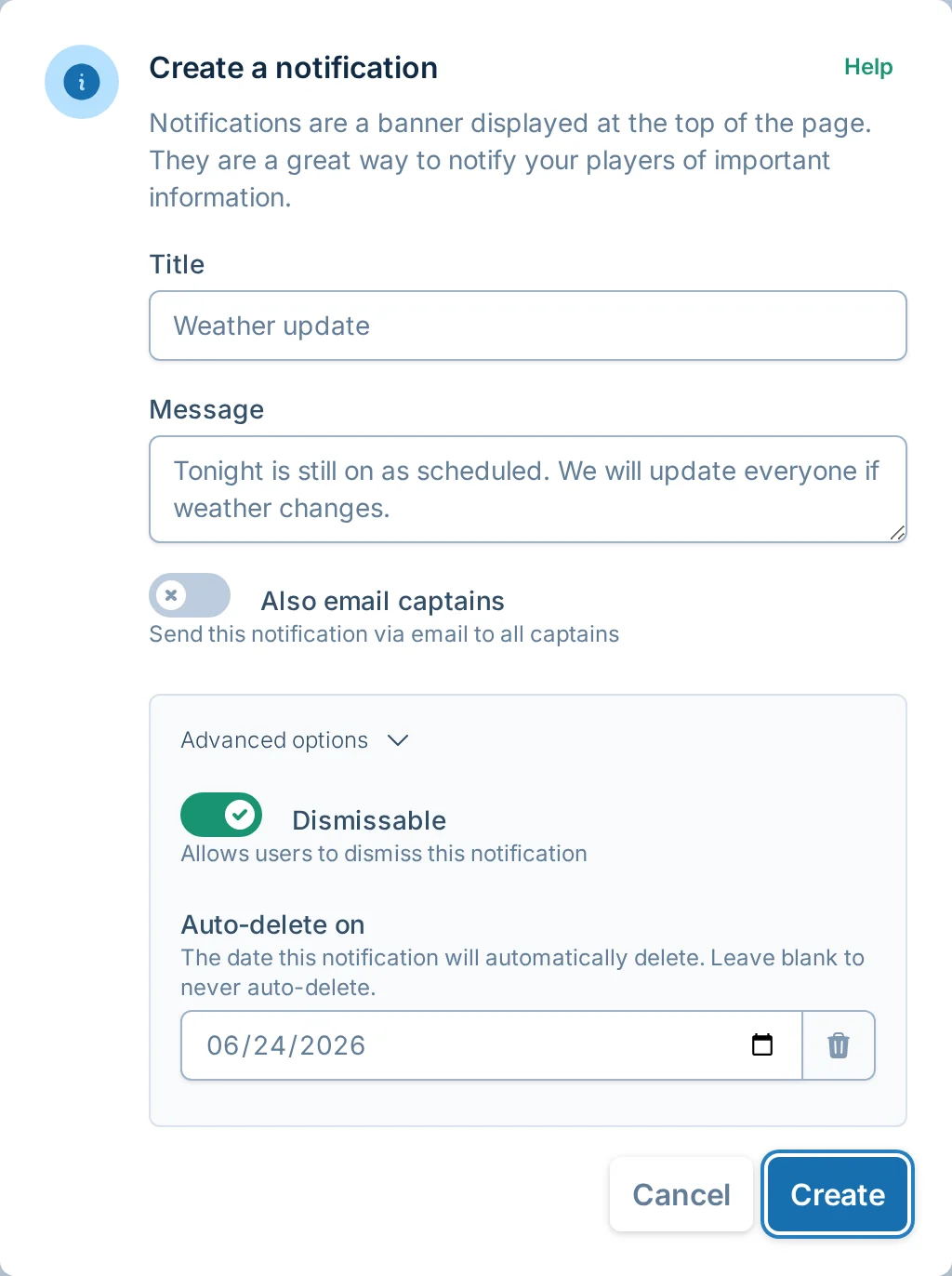
Click "Advanced options" to control whether players can close the banner and when the banner should stop showing.
Dismissable
"Dismissable" controls whether players can close the banner.
When this is on, a player can close the notification for themselves. Other players still see it until they close it too.
When this is off, the banner stays visible until a manager edits, deletes, or auto-deletes it.
Auto-Delete On
"Auto-delete on" controls when the banner stops showing.
By default, new notifications auto-delete after about one week. You can choose a different date or leave the field blank if the notification should stay up until you remove it manually.
Editing Notifications
Managers and staff with notification permission see Edit and Delete controls on manager-created notifications.

Click "Edit" to update the title, message, whether players can close it, or when it should stop showing.
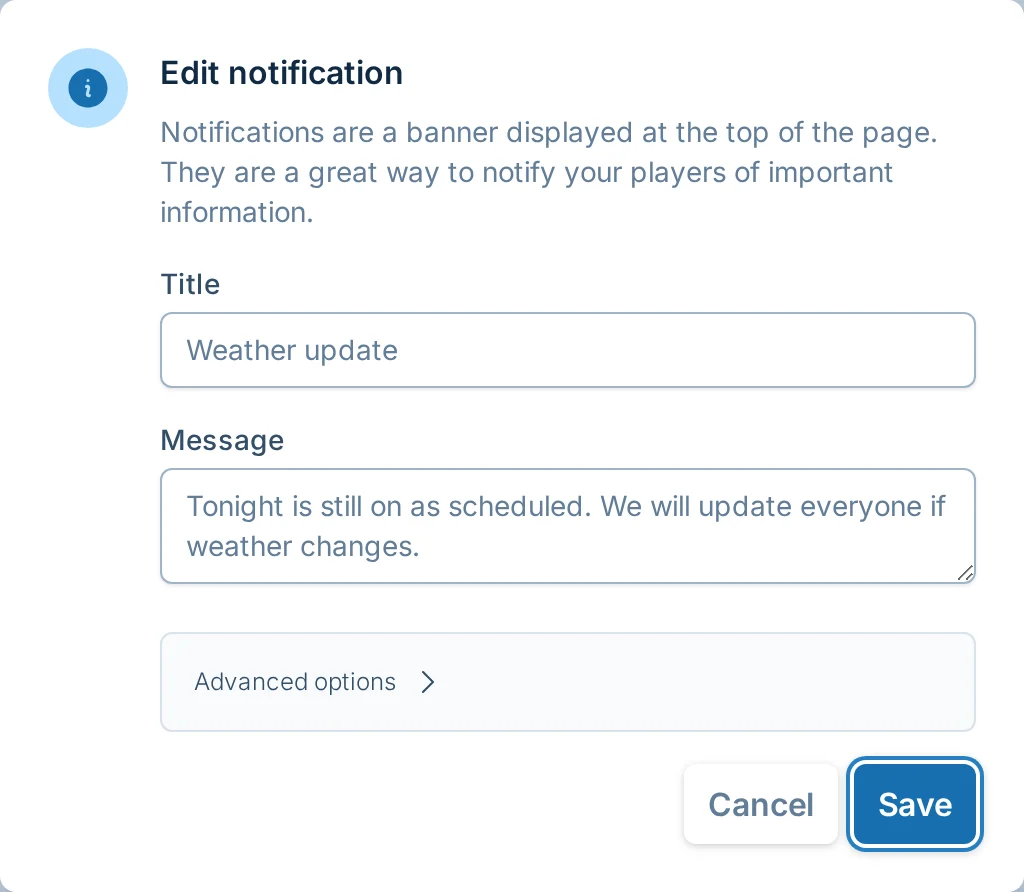
Editing a notification updates the banner on the league site. It does not email captains again. If you need captains to receive a new email, create a new notification or send a captain email.
Deleting Notifications
Click "Delete" to remove a manager-created notification from the league site.
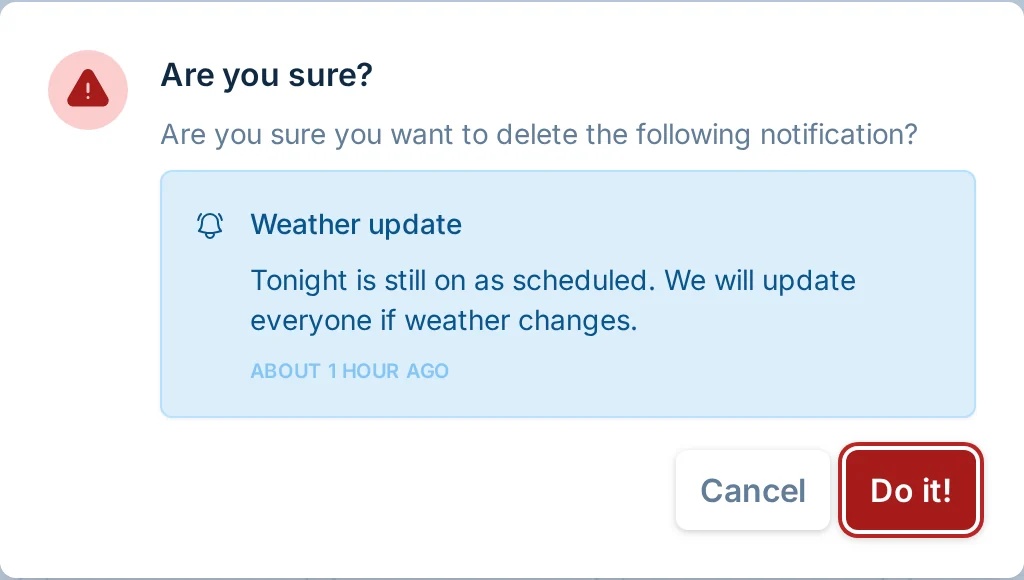
Deleting a notification removes the banner for everyone. It does not send an email.
If a notification only needs to disappear after a known date, use "Auto-delete on" instead of deleting it manually later.
Dismissed Notifications
When a player closes a dismissable notification, it moves into a dismissed notifications section for that player.

Closing a notification is personal. It does not remove the notification for other players, captains, managers, or staff.
Dismissed notifications can still be reopened from the dismissed notifications section while they are active. Once a notification is deleted or reaches its auto-delete date, it no longer appears there.
Automatic Banners
Some banners are added by volley.love instead of by a manager.
Players may see registration banners when registration is open or scheduled to open soon. When a league is completed, volley.love may also show a completed league banner.
These automatic banners are separate from manager-created notifications. They are not edited or deleted from the notification controls.
Common Questions
Do players need accounts to see notifications?
No. Players and captains can see league notification banners without signing in.
Can I email captains after I edit a notification?
Not from the edit dialog. Editing updates the banner only. Create a new notification or send a captain email if captains should receive a new email.
Can I schedule a notification to start later?
Not from the manager screen today. Manager-created notifications start right away. Use "Auto-delete on" if the notification should stop showing after a certain date.
Should I use notifications or captain emails?
Use notifications when the message should appear on the league site. Turn on "Also email captains" when captains need the message immediately.
Use captain emails when you only need to email captains and do not need a site banner.