Registration Settings
Control who can register, what captains pay, payment collection, price changes, and late registration.
Registration Settings control how teams join your league. Use this page when you need to change whether registration is public, copy the registration link, adjust the team limit, change prices, choose how captains pay, or keep registration open after the schedule is created.
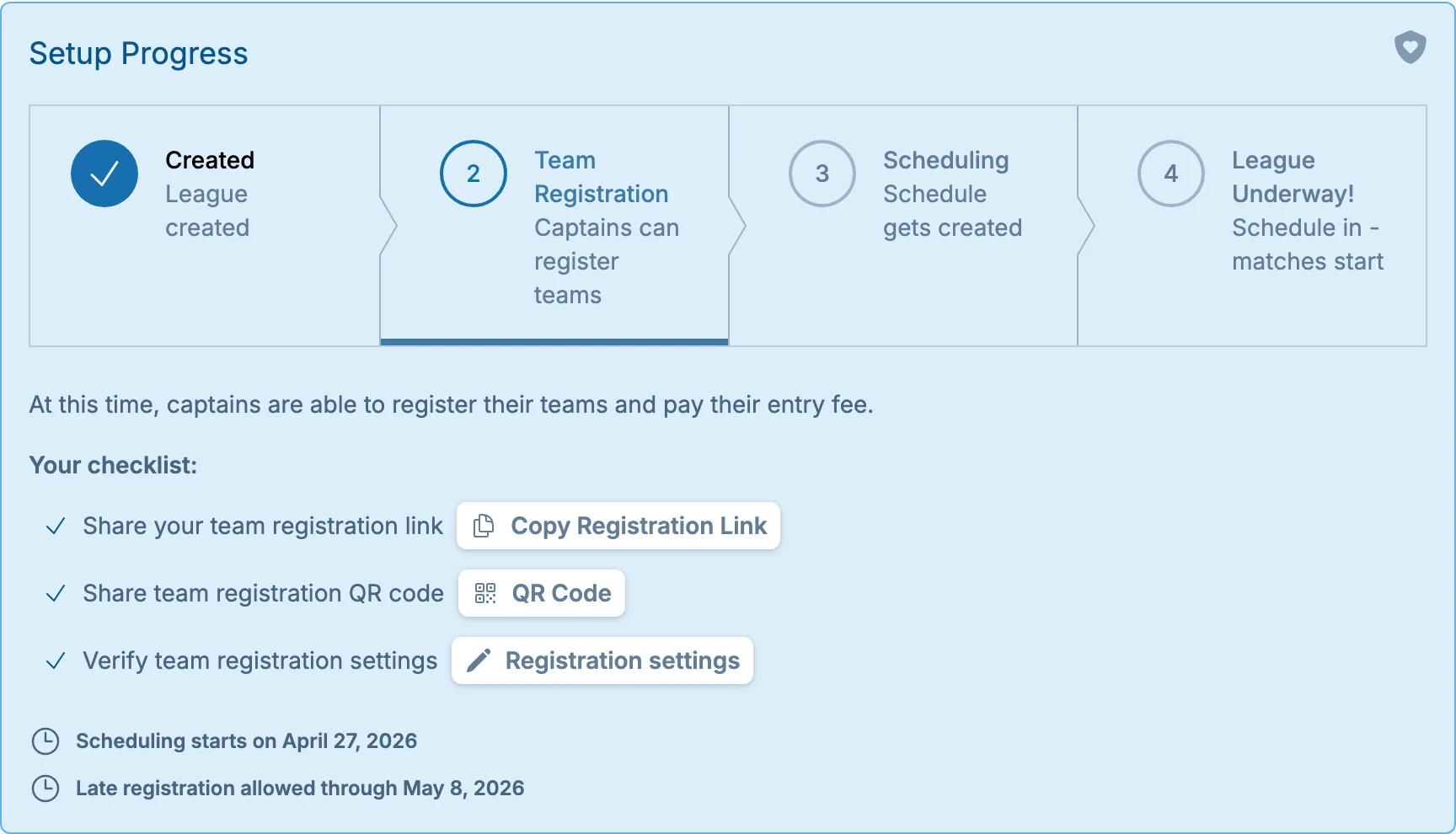
To open Registration Settings, click the "Registration Settings" button in the league setup progress bar:
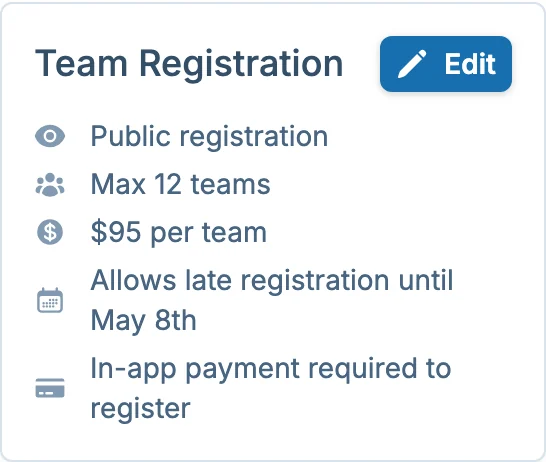
You can also access the registration settings by clicking the "Edit" button in the summary overview.
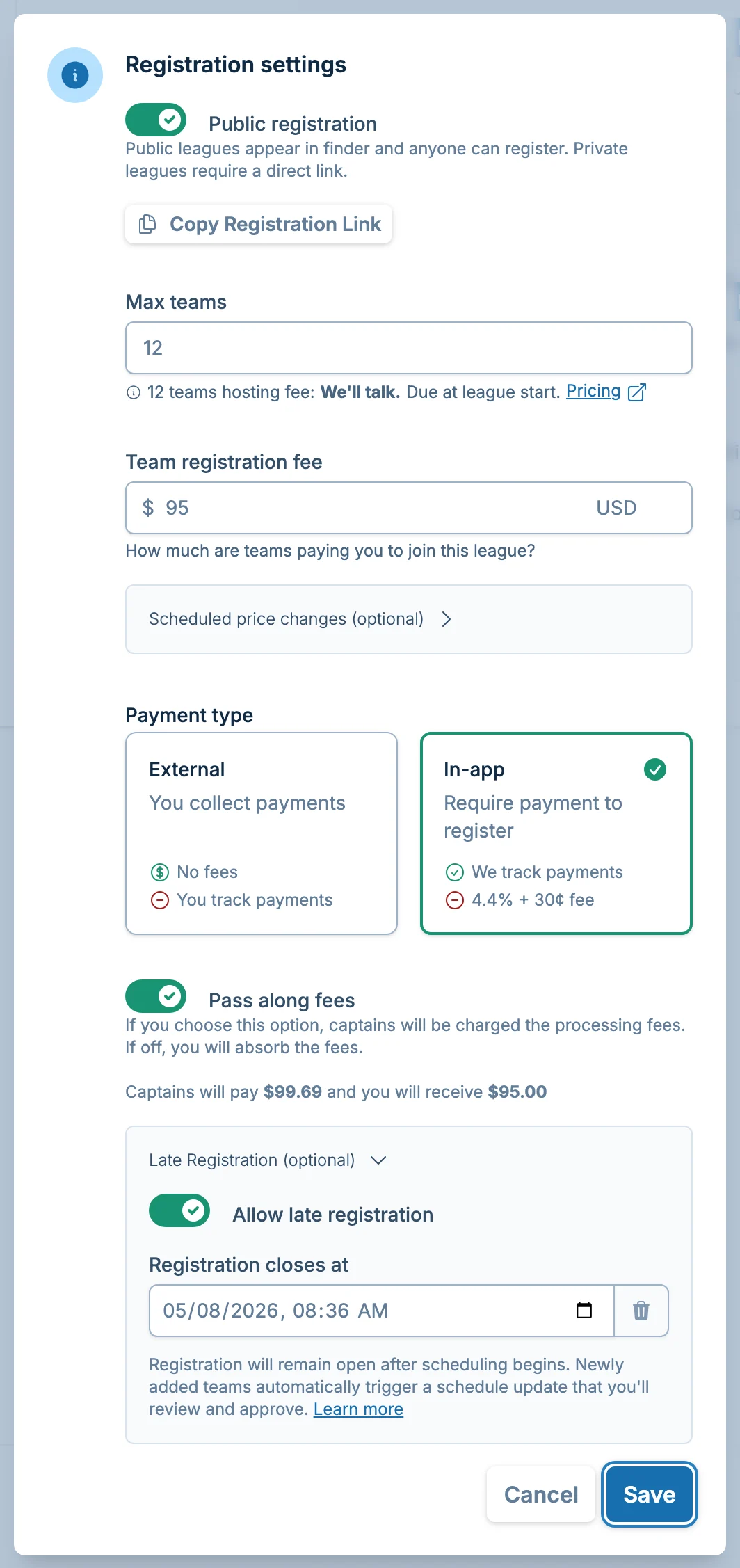
The dialog shows the main registration controls for the league:
Public Or Private Registration
Choose whether captains can find the league themselves or need a direct registration link.
- Public registration: your league can appear on https://app.volley.love/find, and captains can register while registration is open and the league is not full.
- Private registration: captains need the registration link from you. Private registration is useful when you already have a list of invited teams, you are sharing the link with a specific group, or you are handling promotion somewhere else.
Private registration does not require captains to sign in. Anyone with the registration link can register while registration is open and the league has space.
Scheduled Public Opening
If registration is private, you can schedule it to become public later. Turn off "Public registration," then use "Make registration public at" to choose the date and time.
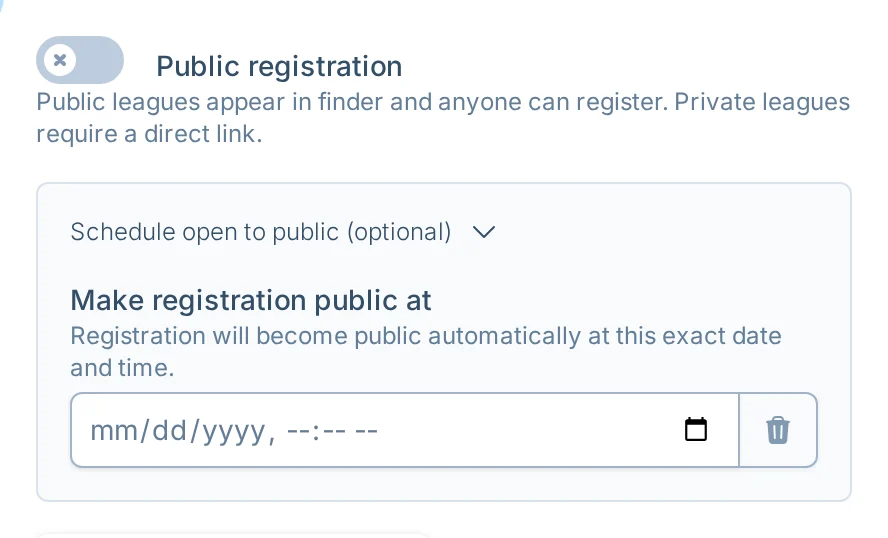
Use this when you want to prepare the league ahead of time, send the link privately first, then let the league appear publicly at a planned time. The scheduled public time must be in the future and cannot be after registration closes.
Team Limit And Hosting Fee
Set "Max teams" to the largest number of teams you want in the league. When the league reaches that number, new registrations stop because the league is full.
volley.love suggests a limit based on your schedule details, such as available courts and time slots. You can adjust it to match the league you actually want to run.
The form also shows an estimated volley.love hosting fee for that team limit. This fee is separate from the money captains pay you to join the league.
You can review current public pricing on the volley.love pricing page. For a full explanation of hosting fees, Stripe, discounts, and payment timing, see Billing and Hosting Fees.
The final hosting fee is set when you approve your schedule, based on the teams actually in it.
Registration Fee And Price Changes
Set "Team registration fee" to the amount captains pay to join the league.
You can also schedule automatic price changes. Open "Scheduled price changes," add a change, then choose the date, time, and new fee.
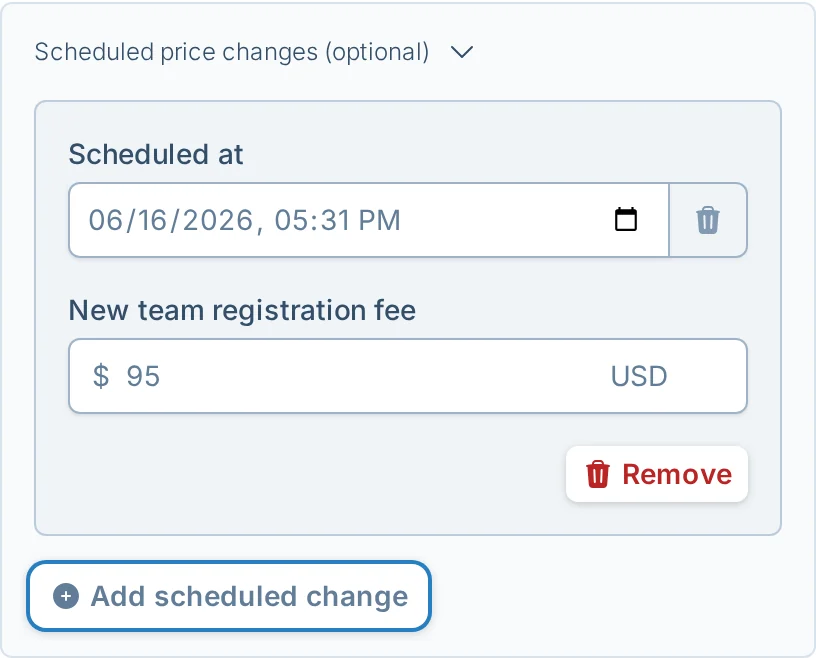
Scheduled price changes are useful for early-bird pricing, late pricing, or a planned fee increase after a certain date. They affect future registrations after the change takes effect. They do not automatically charge or refund teams that already registered.
Scheduled price changes must be in the future and cannot be after registration closes.
In-app payments require a registration fee greater than $0. If you are running a free league, or if a scheduled price change needs to make registration free, use external payments.
Payment Type
volley.love supports two payment processing options:
External Payments
Choose "External" when you want to collect payments outside volley.love, such as Venmo, PayPal, cash, check, or another payment system.
With external payments:
- There are no in-app processing fees.
- You can add an optional payment link.
- You can add an optional payment note with instructions for captains.
- You are responsible for tracking who has paid.
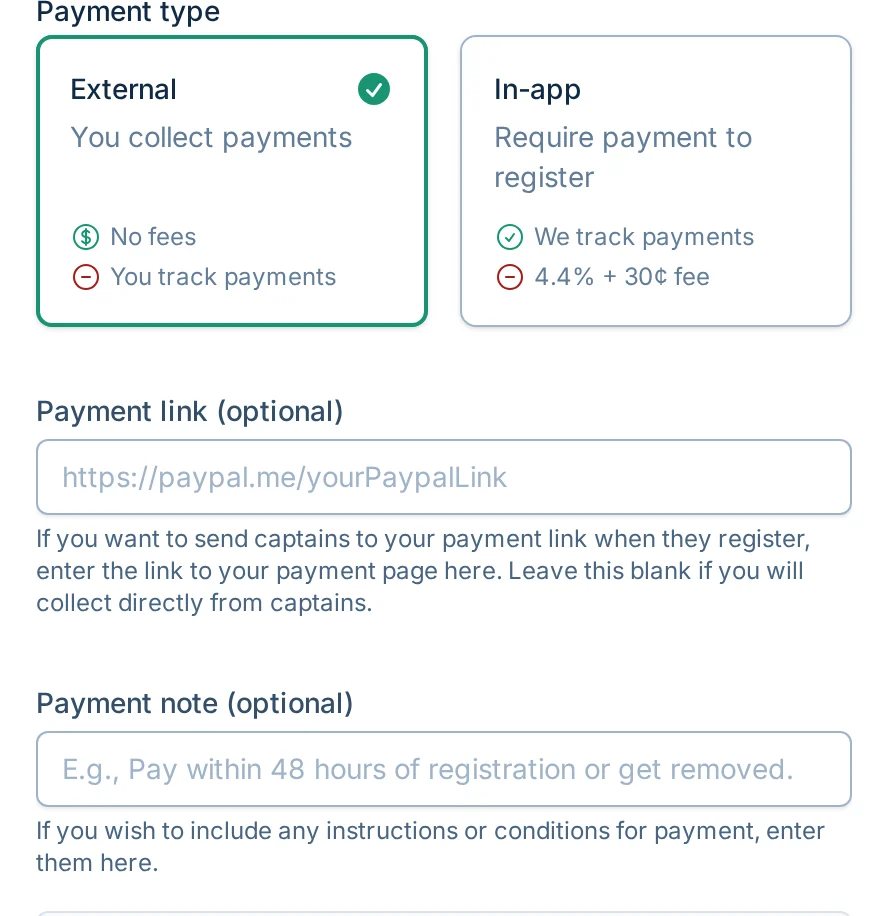
If you add a payment link, captains will be sent to that link after they register. If you do not add a link, captains can still register and the payment step will tell them to pay you directly.
In-App Payments
Choose "In-app" when you want captains to pay during registration. volley.love tracks the payment and marks the team as paid.
In-app payments require:
- A connected Stripe account.
- A team registration fee greater than $0.
You can choose to pass processing fees to captains by selecting "Pass along fees." The form shows what captains will pay and what you will receive:
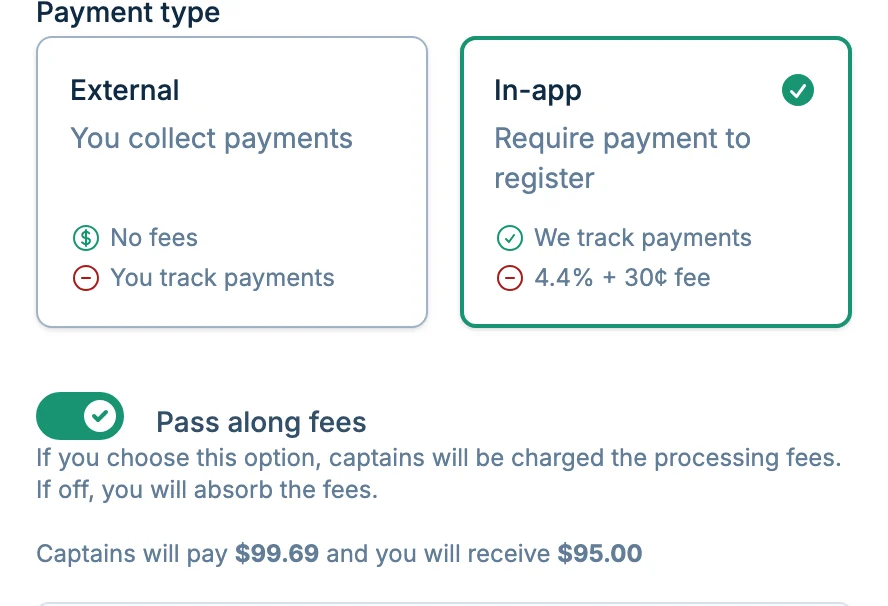
To use in-app payments, connect your Stripe account from the Billing page by clicking "Connect to Stripe" and following the instructions. For more detail, see Billing and Hosting Fees.
Stripe is a leading payment processor known for its security, reliability, and compliance standards.
Refunds And Dropped Teams
Refunds for team registration payments are controlled by the league manager.
For in-app Stripe payments, refund the team from Stripe or from the Billing page. After the payment is handled, remove the team if the schedule has not been created yet so the spot opens again.
For external payments, use the same payment method you used to collect the money, then update or remove the team in volley.love. volley.love cannot send refunds for payments collected outside the app.
If the schedule already exists, use the team drop workflow instead of deleting the team. For more detail, see Managing Teams.
Late Registration
If your league does not fill before scheduling starts, you can keep registration open so teams can still join after the schedule is created. Toggle "Allow late registration" and set a cutoff date. When a new team joins late, volley.love creates an updated schedule for you to review and approve.
For a full walkthrough of how late registration works, see the Late Registration guide.
Reopening Registration
If registration has closed and your league later has open spots, you may see a prompt to reopen registration from the schedule page. Reopening registration lets you choose a new cutoff date without changing the rest of the registration setup.
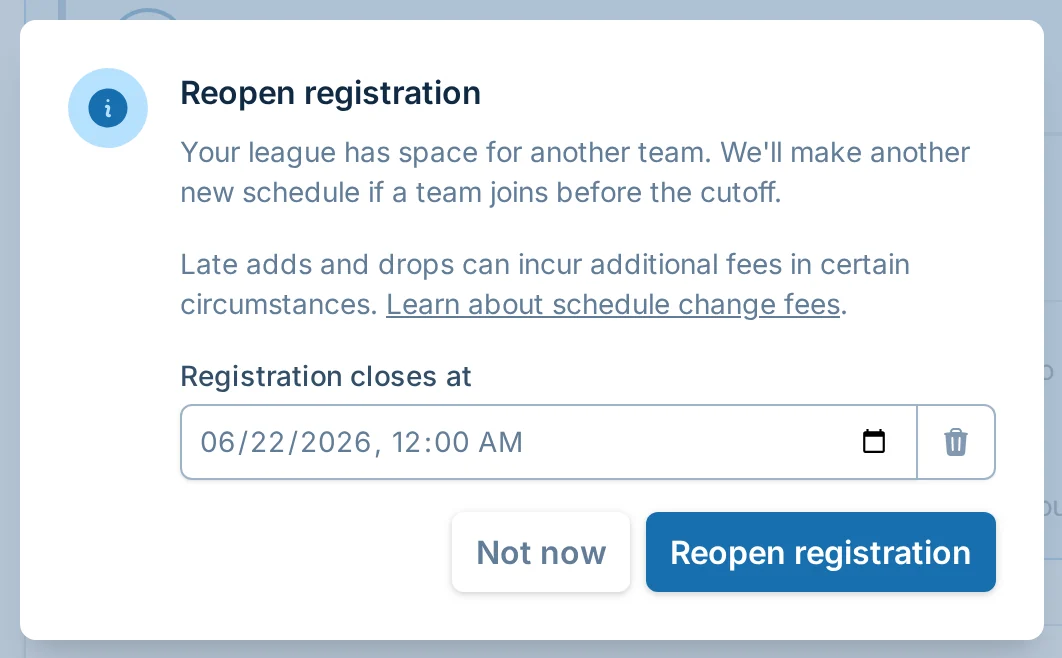
If no one joins, your schedule stays as-is. If a team joins, volley.love creates an updated schedule for you to review.
Common Questions
Can I make a private league public later?
Yes. Turn off "Public registration" and set "Make registration public at." The league stays private until that time, then becomes public automatically.
Can I run a free league?
Yes. Use external payments and set the team registration fee to $0. In-app payments require a fee greater than $0.
Can I change prices after teams have registered?
Yes, but price changes only affect future registrations. If an already-registered team's payment status or payment amount needs attention, update that team from the teams table or contact support.
Can I raise the team limit after registration opens?
Yes. Increase "Max teams" if your league can support more teams. If the schedule has already been created, adding teams may require a schedule update.